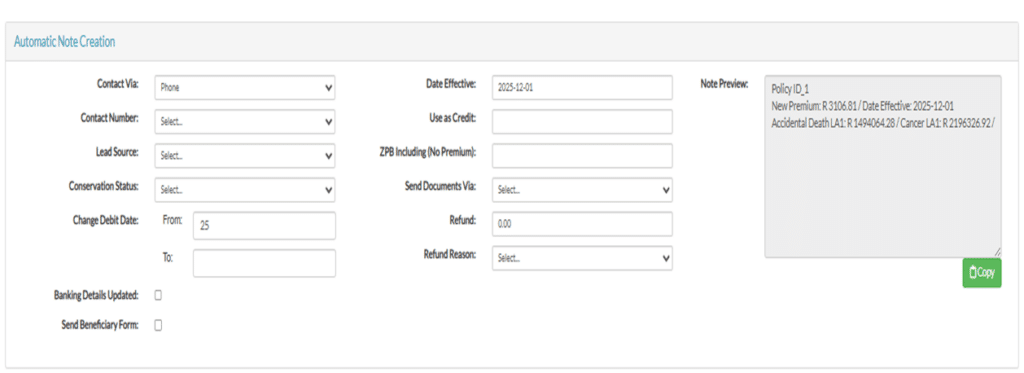
| Automatic Note Creation | This is how you make the automatic note. |
| Contact Via | Select the method of how you spoke to the client. |
| Contact number | Select the number used to speak to the client. |
| Lead source | Select the lead source. |
| Conservation Status | If the policy is conserved or not and the type of conservation. |
| Change debit date | If the debit date is changing, insert the new one in to the to option. |
| Bank details updated | This is ticked if new bank details are added. |
| Send Beneficiary form | This is ticked if the beneficiary form is sent. |
| Date Effective | The date the new premium will start. |
| Use as Credit | This will show if there is a credit. |
| ZPB Including | This will show the month for which the premium will be written off. |
| Send documents | Select if documents should be sent via email or Whatsapp |
| Refund | The amount if we are refunding any part of the premium. |
| Refund reason | The reason for the refund. |