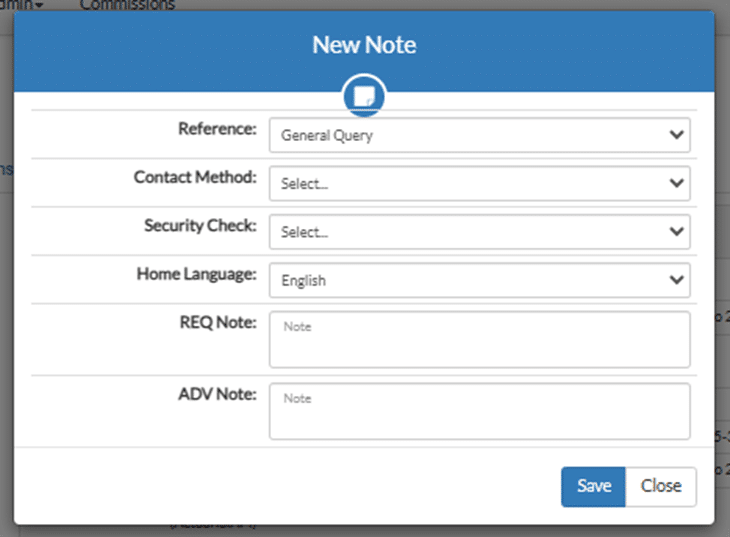
| Item | Explanation |
|---|---|
| Reference | Select the correct reference. |
| Contact Method | Select the correct method of contact. |
| Security Check | Select the correct drop down. |
| Select home language | If it’s different from the language currently selected. |
| REQ Note | This is what the client requested. For example: clt wants to know what is covered. |
| ADV Note | What you told the client. For example: Expl cancer cove, ADB + MBB – conf prem and sent docs |
What it looks like with the completed fields.
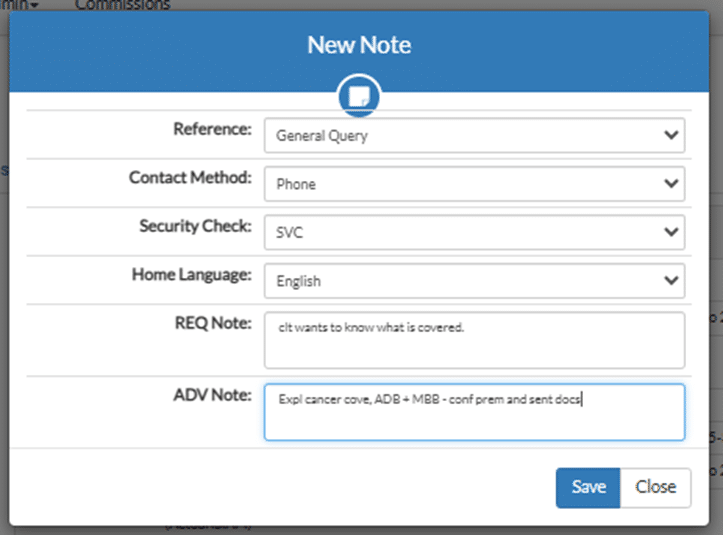
What the new note looks like.
If you click the green button with the pen the notee can edited if you forgot something.
The red button with the bin, deletes the note.

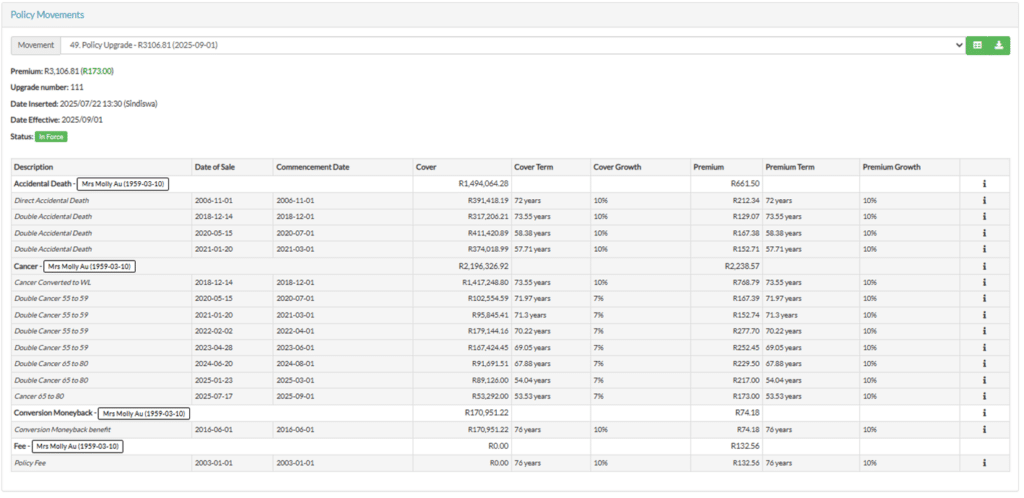
This is the bottom half of the info tab.
| Item | Explanation |
|---|---|
| Policy Movements | This the list of all movements of the policy, from commencement up to date. |
| Accept | This is the first movement of the policy. |
| Inflation increase | This shows the increase in premiums and benefits. |
| Alteration | Changes made to the policy. |
| Pending conservation | This used for cancellation, and on hold requests. |
| Conversion | When the policy was converted from term to whole life. |
| Component expired | When a policy benefit reaches it’s term. |
| Premium | The premium for the movement selected. |
| Upgrade number | This is the 11th upgrade this client has taken. |
| Date inserted | The date the movement was loaded to the policy. |
| Effective date | The month the new benefits are effective. |
| Status | The policy status. |
| The green buttons | These allow you to view the batch information or the to download a specific movement |
